Offline and private
The model runs on the computer you plug into. Chats never leave that machine.

Offline · No account · No signal
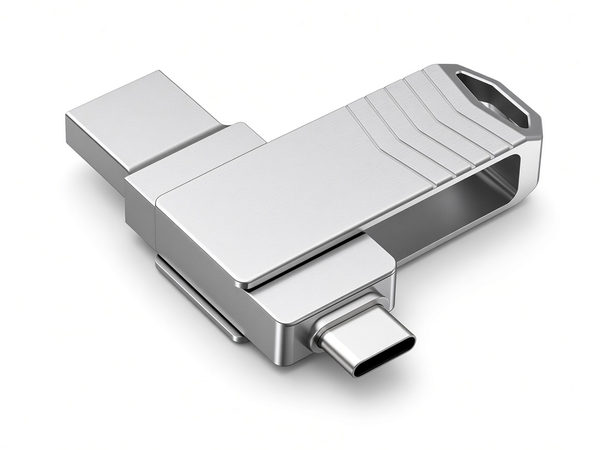
An open-source chatbot on a brushed-aluminum USB.
Plug in and ask — even when the network is gone.


01 — What it is
A local, open-source chatbot on a dual-connector aluminum stick — with survival hubs, a schematics library, and detailed offline street maps for the entire United States. Private, portable, and built for real use. Not a demo that needs the cloud.
The model runs on the computer you plug into. Chats never leave that machine.
A cabin, a roadside, a blackout, a flight. If the computer starts, so does NoSignal AI.
Get turn by turn directions with detailed offline street maps for the entire United States. Search any town or address with no signal.
Both connectors are built in. No adapter to lose.
Buy it once. There is no monthly bill, and it does not need to check in to keep working.
Plug in, Hit the Icon, and you’re ready to go. No account, no terminal, no setup ritual.
02 — How it works
Both connectors are on the stick. Use the port you have. A USB 3 port is best.
Open Start on Mac, Start on Windows, or Start on Linux on the stick, following READ ME FIRST. Computers don’t allow USB auto-start, so you’ll see a simple start screen. Fast mode is on by default, and Smart mode is one tap away for harder questions.
Ask in your own words, open a survival hub, look up a schematic, or search a US street map. Nothing leaves the computer.
03 — Survival hubs
When you’re offline and under pressure, you shouldn’t have to invent a prompt. Open a hub and follow numbered steps.
Make creek or stored water safer to drink, from the built-in manuals.
Start and keep a fire without a lighter — fire lays and the bow drill, with diagrams.
Calm, numbered steps for injuries, shock, and hypothermia. General information only.
Stay dry and warm. Basic shelters and knots, available offline.
Field cooking and safe handling from the on-stick library.
Fuel, safe siphoning, power, and radio basics, including a one-transistor schematic.
Find your way when the network is gone, including simple methods for finding north.
Be seen and heard when you need help, with offline guidance and diagrams.
04 — Library
The chatbot can show drawings, not just text. 80+ preloaded schematics ship on the stick, alongside a public-domain manual library from US Army, FEMA, Ready.gov, CDC, and National Weather Service publications.
The gallery above is a selection. The full set on the stick is 80+ diagrams covering water, fire, shelter, knots, first aid, signals, radios, solar wiring, and more. Other questions can get a flowchart the model draws on the spot.
These publications ride along with the chatbot, so you can read the source material even when there is no signal.
05 — Maps
The Maps panel on the stick covers the whole country, down to the street. Search by town or address, get turn-by-turn directions, and find nearby water. It all works with no signal.
All fifty states, including Alaska and Hawaii. Cities, towns, and rural roads are included.
Roads, streets, and addresses you can actually follow. These are detailed offline street maps — not a coarse atlas.
Type a town, a city, or a street address. The map goes there without asking a server.
Pick a start and a destination, and get approximate step-by-step driving directions, worked out on your computer. No ZIP code needed.
Drop a pin or type an address, and it lists the nearest ponds, lakes, and creeks from the map data.
The maps live on the stick, so you can look up a place even when the network is gone.


Search any address in all 50 states and get turn-by-turn directions, fully offline. Airplane mode, no cell signal, no grid. It just works.
06 — Privacy
No account. No subscription. No signal required. The chatbot, the library, the schematics, and the maps all run on the computer you plug into.
Questions and answers never leave that machine for the product to work. Nothing is sent to NoSignal or to a cloud service.
Searches and map views are local. The street maps are on the stick, so looking up a town does not call a server.
The stick does not have to update, log in, or “activate” on a network. It keeps working years later, on its own.
07 — The stick
Brushed metal, with USB-A and USB-C built in. The chatbot, survival hubs, schematics, manuals, and US street maps are all on the stick. Pay with Apple Pay — tap, double-click, done.
A compact all-metal stick for a bag, a desk, or the glove box.
| Storage | 32 GB, USB 3 |
|---|---|
| Connectors | USB-A and USB-C, built in |
| Body | Brushed metal |
| Software | Fast mode (Qwen3.5 4B) and Smart mode (Qwen3.5 9B) |
| Included | Chatbot, survival hubs, schematics, manuals, and US street maps |
| System | Mac (Apple Silicon and Intel, macOS 14+), Windows 10/11 and Linux (64-bit). 8 GB RAM min, 16 GB recommended |
| Privacy | Runs fully offline |
Works on Macs running macOS 14 Sonoma or later — Apple Silicon (M1–M4, fast, uses the GPU) and Intel Macs (supported, CPU only, noticeably slower) — plus 64-bit Windows 10 and 11 PCs (x64, CPU only, slower than Mac) and 64-bit Linux (x86_64, glibc 2.28+: Ubuntu 20.04+, Debian 10+, Fedora 29+; CPU only). 8 GB of RAM is the practical minimum; 16 GB is recommended.
On an Apple Silicon Mac in Fast mode, answers start in about 2–4 seconds. Use a USB 3 port when you can; USB 2 loads more slowly. Intel Macs, Windows, and Linux run on the processor, so answers there take longer.
Both chat modes, the manuals, schematics, and the full US street-map set take about 14.6 GB, leaving plenty of room on the 32 GB stick.